


Multi-OS Device Management
Manage and secure every healthcare device with ease.
From nursing tablets and patient check-in kiosks to clinician smartphones and hospital workstations, manage every endpoint from a single dashboard. Secure patient data, deploy healthcare applications remotely and keep your care teams connected across every operating system.
Windows Management
Keep hospital workstations ready for clinical and administrative teams throughout the day. Configure Windows devices for different healthcare roles, give teams reliable access to essential applications, and protect patient information across hospitals, clinics, and diagnostic centers.
-
Deploy clinical and healthcare applications remotely with application management
-
Secure patient and clinical data with BitLocker encryption
-
Standardize device configurations with PowerShell scripts
-
Maintain device security with Windows update and patch management

macOS Management
Give your administrative, research, and medical education teams Macs that are ready for their daily workflows. Apply consistent security policies across locations, provide access to approved applications, and reduce the hands-on effort required to maintain healthcare devices.
-
Protect sensitive healthcare information with FileVault encryption
-
Push healthcare applications remotely to managed Macs
-
Apply configuration profiles to standardize security settings
-
Secure misplaced devices with remote lock and wipe
ChromeOS Management
Make shared ChromeOS devices ready for the different people and workflows that use them across your healthcare facility. Support patient check-in, telehealth, staff training, and other web-based workflows while keeping access aligned with your healthcare policies.
-
Configure shared devices with managed guest session policies
-
Set up patient check-in and registration devices with Kiosk Mode
-
Troubleshoot devices remotely with remote device actions
-
Restrict web access to approved healthcare resources with URL filtering

iOS Management
Give your care and registration teams secure iPhones and iPads for the interactions they handle every day. Support bedside workflows, patient registration, and clinical applications while keeping devices purpose-ready and protected wherever they are used.
-
Distribute clinical and patient-care applications with managed app distribution
-
Configure patient check-in devices with single-app mode
-
Protect misplaced hospital devices with lost mode
-
Enforce safer device usage with restrictions and web content filtering
Android Management
Keep clinicians and nursing teams equipped with mobile devices that support care wherever they work. Configure Android tablets, rugged handhelds, and smartphones for specific clinical roles, and give your IT team the tools to support devices without interrupting patient care.
-
Configure dedicated clinical devices with single & multi-app kiosk mode
-
Provision devices quickly with zero-touch and QR code enrollment
-
Troubleshoot clinical devices remotely with remote cast and remote control
-
Track organization-owned mobile devices with location tracking
Linux Management
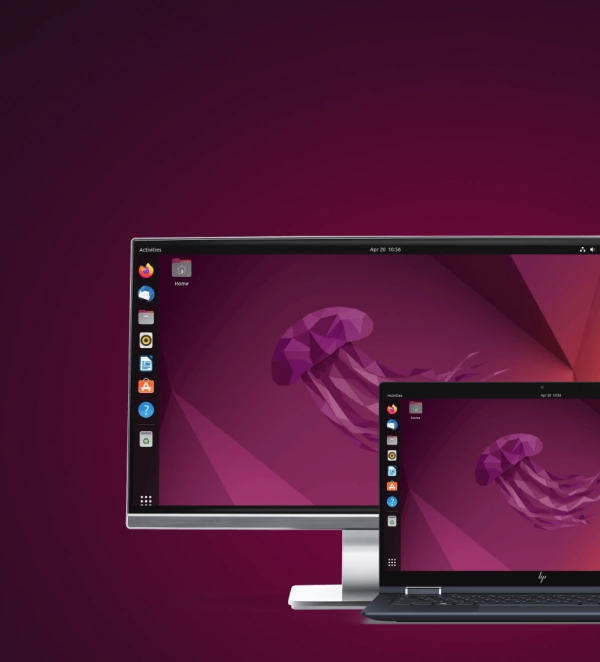
Keep Linux-powered systems supporting your clinical environment configured and available across facilities. Automate routine maintenance, apply consistent device settings, and troubleshoot distributed systems remotely so your IT teams can maintain critical infrastructure without constant onsite support.
-
Automate healthcare device tasks with Bash and Shell scripts
-
Standardize clinical system configurations across managed devices
-
Troubleshoot distributed healthcare devices remotely
-
Configure Wi-Fi settings for connected clinical devices
利点
なぜ医療向けにScalefusionを選ぶのか?
医療業務の管理は簡単なことではありません。Scalefusionは、複雑さを簡素化し、機密データを保護し、医療チームを生産的に保つために特別に構築されており、直感的に操作できます。
シームレスなデバイスセキュリティ
最も重要なもの—患者の信頼と機密データを保護します。HIPAAのようなコンプライアンス規制よりも一歩先を行きましょう。
強化されたケアチーム
医師、看護師、スタッフに、必要なデジタルツールへの迅速、安全、中断のないアクセスを提供します。
信頼性の高いパフォーマンス
クリティカルなデバイスとアプリケーションの稼働時間を保証し、ケア提供が中断されないようにします。
患者ケアの向上
テクノロジーが運用を簡素化し、セキュリティを維持することで、より良い患者の転帰を可能にします。
ケアエコシステムのすべてのデバイスを管理します。
医療ネットワーク内のすべてのデバイスを管理します。病院、クリニックなどの独自の要求を満たすようにデバイス管理を調整し、妥協のない生産性を確保します—医療は止まらないため、デバイスも止まるべきではありません。

Across every care setting
At the heart of healthcare IT
Care team handhelds
Secure smartphones and tablets used by doctors, nurses, and support staff. Keep critical apps within reach while maintaining control over every device.
Patient check-in kiosks
Turn front-desk tablets into smooth, locked-down check-in experiences that keep patients moving and reduce admin friction.
Telehealth devices
Keep remote consultation devices focused on care delivery with the right apps, policies, and protections already in place.
Multi-location hospitals
Standardize device management across every hospital, clinic, and care site from one central command point.
Remote patient monitoring
Manage at-home monitoring devices with the consistency and visibility needed to support care beyond the facility walls.
Compliance reporting
Generate audit-ready reports from actual device activity, so compliance teams do not have to stitch everything together by hand.
全製品
ソリューションの統合スイートで医療を強化します。
Scalefusion UEM + OneIdP
ゼロトラスト。
最大限のセキュリティ。
医療アプリケーションとデータへの妥協のないセキュリティとシームレスなアクセスを提供します。医療エコシステムを保護するためにゼロトラストアプローチを採用します。ユーザー、デバイス、またはアプリケーションに暗黙の信頼が与えられないことを保証します—承認された担当者とデバイスのみが機密の医療データにアクセスできます。コンテキストとニーズに基づいて動的なアクセス許可を拡張します。

Scalefusion UEM + Veltar
セキュリティを備えた統合エンドポイント管理。
医療チームに気を散らすことのないアクセスを提供しながら、最高レベルのコンプライアンスを維持します。Webフィルタリングから暗号化された通信チャネルまで、機密の患者情報を保護し、すべてのレベルで運用効率を向上させます。

医療業務を向上させる準備はできましたか?始めましょう!

医療向けバルクデバイスプロビジョニングを簡素化します。
デバイスの登録を自動化および簡素化して、病院スタッフに迅速に装備します。箱から出した状態でのプロビジョニングであっても、役割固有のポリシーの適用であっても、すべてのデバイスが簡単にセットアップされるようにします。病院の運用にシームレスに統合するために、デバイスのブランディングをパーソナライズします。
Features
バルク登録
すべてのスタッフ所有デバイスで患者記録を保護します。
医師所有デバイスでのモビリティとセキュリティのバランスを取ります。患者データにアクセスするための個別のワークコンテナを作成し、HIPAAのような規制への準拠を保証します。強制VPN、セキュアアプリ、リモートワイプ機能を使用して、医師がデータプライバシーを侵害することなく中断のないケアを提供できるようにします。
Features
個人用およびワーク用コンテナ
リモートワイプ
アプリブロック
パスワードポリシー


24時間年中無休のケアのための信頼性の高いデバイス。
病院デバイスが承認されたネットワークとアプリケーションのみにアクセスするように構成されていることを確認します。リモートトラブルシューティングと監視機能により、病院の病棟でもフィールドでも、クリティカルな医療デバイスを稼働させ続けます。
Features
患者ケア向上のためのリアルタイム位置追跡。
スタッフとデバイスをリアルタイムで追跡し、運用を最適化します。ジオフェンスを設定して機器を監視し、不正なデバイス移動のアラートを受け取ります。病院全体のデバイス追跡を簡素化して、可視性を向上させます。
Features


テレヘルスで医療を近代化します。
HIPAA準拠のツールとリモート管理機能でテレヘルス相談を強化します。トレーニング資料と参照資料をスタッフデバイスに直接配信し、組織全体でのシームレスな知識共有を保証します。安全で最新の医療ソリューションでチームを強化します。
Features

異なるシフト間で共有される1台のデバイス。
セキュリティや効率を損なうことなく、シフト間のデバイス共有を合理化します。役割ベースのプロファイルと自動ログオフにより、Scalefusionは、患者データの機密性を維持しながら、すべての新しいユーザーが利用できる状態の病院デバイスを保証します。
Features

フィールドワークと救急サービスの最適化。
移動中の医療スタッフの運用の中断を保証します。救急サービスとアウトリーチプログラム用の頑丈なデバイスを管理し、EHRへのリアルタイムアクセス、安全な通信、効率的な緊急対応を可能にします。
Features
さらに多くの機能。

レポートと詳細分析
分かりやすいレポートで、フリートのデバイス使用状況と運用効率に関する詳細な洞察にアクセスします。

ワークフロー
定型タスクを簡素化および自動化して、物流ネットワーク全体のデバイス管理を合理化します。

グループとサブグループ
ポリシーの適用を合理化し、管理を簡素化するために、フリートデバイスをグループとサブグループに編成します。

カスタムブランディング
会社のブランディングでデバイスをパーソナライズして、医療スタッフ全体で一貫したアイデンティティを維持します。
医療業務の管理と保護の方法を変革します。


よくある質問
Mobile Device Managementは、アクセス制御の実施、作業データの分離、不正なアプリまたはネットワークの使用の防止により、医療組織がデバイスを保護するのに役立ちます。患者情報へのアクセスを承認されたユーザーとデバイスのみに制限し、医療規制への準拠をサポートします。
はい。ScalefusionのようなMDMソリューションにより、医療チームは作業コンテナまたはプロファイルを使用して、個人デバイスで臨床アプリや患者データに安全にアクセスできます。これにより、個人データはプライベートに保たれ、病院のデータは保護され、管理可能になります。
MDMは、暗号化、アクセス制限、リモートデータ削除を含む、デバイス全体での一貫したポリシー実施を可能にします。これにより、医療組織はデータ保護およびプライバシー規制に準拠しながら、デバイス使用の可視性と制御を維持できます。
MDMは、役割ベースのアクセス、自動ログアウト、ユーザー間のデータクリアを可能にすることで、共有デバイス環境をサポートします。これにより、各シフトは患者データの漏洩のリスクなしに、安全で準備完了なデバイスで開始できます。
はい。MDMは、構成の管理、デバイスの正常性の監視、リモートトラブルシューティングの有効化により、デバイスの信頼性を維持するのに役立ちます。これにより、重要な医療アプリケーションは、必要なときに必要な場所で利用可能になります。


