Cloud RADIUS Server

Cloud RADIUS for corporate Wi-Fi and VPN authentication.

Give every user and managed device a verified way onto your corporate network. Move beyond shared Wi-Fi passwords and the overhead of running your own RADIUS infrastructure, while keeping the network equipment you already rely on.

Benefits

Cloud RADIUS service with zero server upkeep.

Skip the work of deploying and maintaining your own RADIUS server. Get network authentication through a cloud-hosted service, without adding another piece of infrastructure to your workload.

Benefits

Know who's connecting.

Authenticate employees with individual identity credentials instead of a shared Wi-Fi password.

Simplify device connections.

Authenticate enrolled devices with certificates, without asking employees to enter Wi-Fi credentials.

Strengthen network logins.

Add another verification step to supported password-based Wi-Fi and VPN authentication.

Skip RADIUS server upkeep.

Run network authentication through a hosted service, without deploying or maintaining your own RADIUS server.

Flexible Authentication

One network, more ways in.

Bring more choice to network authentication. Use individual credentials for users and digital certificates for managed devices. Get the flexibility to support different access needs without relying on a one-size-fits-all setup.

Flexible Authentication

Certificate-based authentication

Authenticate managed devices using digital certificates. No shared Wi-Fi passwords or user-entered credentials.

Password-based authentication

Let users connect with their existing identity credentials through multiple supported authentication methods.

Add multi-factor authentication

Require OneIdP MFA or supported third-party MFA for an additional verification step on compatible password-based connections.

Context-Aware Conditional Access

Automate access decisions based on device trust.

Access decisions deserve more than a username and password. Consider the user's identity, device compliance, and access conditions before granting entry. Ensure every decision reflects your access policies, not just a successful login.

Device Trust

Let device health shape access.

A managed device isn't automatically a compliant device. Evaluate its security posture, update status and required applications before allowing access to work apps.

Compliance status

Set access requirements using Veltar compliance status, risk levels or compliance scores.

OS & device health

Restrict access from devices with overdue OS updates or pending critical security patches.

Application & device integrity

Check required application versions, jailbreak/root status and device attestation.

SSO & Web Apps

Give every work app one front door.

Bring approved applications into one branded portal. Give employees a simpler way to reach the tools they need, with single sign-on and authentication options that reduce repetitive login steps.

Enterprise SSO

Connect business applications with SAML and supported OIDC configurations. One sign-in for the apps employees use.

Branded App Portal

Bring approved work apps into one place, so employees can find and launch what they need without hunting through bookmarks.

Passwordless Authentication

Add passkey-based verification or enable passwordless SSO on managed devices to reduce repeated authentication prompts.

Sign-in Context

Context changes the access decision.

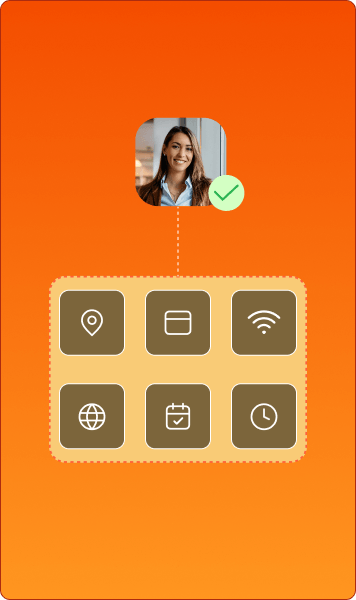
A device may meet your security requirements, but that doesn't mean access should be allowed from every location or network. Set boundaries around where and how users can sign in.

Location-based access

Allow or restrict sign-ins based on approved geofences.

Trusted IP ranges

Set permitted public and private IP ranges for managed devices and browser access.

Network & time conditions

Apply Wi-Fi network, location, IP, and scheduled login restrictions through Keycard for endpoint access.

Access Policies

Set the terms of access.

Different users and devices may need different routes to access. Define which devices and browsers qualify, when additional verification is required, and where exceptions make sense.

Managed & unmanaged access

Require managed devices or allow unmanaged devices to sign in with OTP or supported MFA.

Browser requirements

Specify approved browsers and minimum versions for application access.

Policy exceptions

Accommodate enrollment requirements and exempt designated users or groups from selected access conditions.

Continuous Evaluation

Don't let yesterday's compliance decide today's access.

Device security can change after a user signs in. Re-evaluate compliance, give users a way to address eligible issues and end SSO access when devices no longer meet your requirements.

Ongoing compliance checks

Re-evaluate device posture and compliance against your configured access requirements.

Self-service remediation

Let users review failed compliance rules, initiate scans and address supported issues such as pending updates.

Automatic session logout

End active SSO access when a device no longer meets the required compliance conditions.

Make device trust part of every network access decision.

The finer details of getting connected.

Different users and devices have different network needs. Adapt access for each group without having to rebuild configurations from scratch. Keep your network flexible and easier to manage.

illus finer details
VLAN assignment

Place authenticated users and devices on designated network segments, based on the VLAN attributes your network equipment supports.

Session timeouts

Set session durations to determine how long authenticated connections remain active before the network equipment requires a new session.

Access policy attributes

Pass supported access policies and firewall filter attributes to compatible network equipment, shaping how approved connections are handled.

Vendor-specific attributes

Extend network responses with vendor-specific attributes supported by your access points, switches, and VPN gateways.

Closed-Loop Architecture

The end-to-end cloud RADIUS service loop.

Certificate management shouldn't mean another system to maintain. Issue, manage, and revoke certificates alongside your device fleet, without switching tools or syncing separate systems.

User Management
key

Built-in private PKI

Issue and manage certificates from the same dashboard as your device. No separate PKI platform to maintain.

users_left

Automated certificate lifecycle

Automate certificate issuance, renewal, and rotation. Keep device credentials up to date without manual upkeep.

passcode_lock

Identity-bound authentication

Map certificates to known user or device identities and validate their group assignments.

user

Lifecycle revocation

When a device is wiped or retired, its certificate is revoked. Network access doesn't linger beyond the device's lifecycle.

Bring secure Wi-Fi and VPN authentication under one roof.

RADIUS Logs

Clear answers.
Fast fixes.

Network access shouldn't be a black box. Get a record of authentication activity you can look back on, investigate connection issues, and export for future reference.

Authentication visibility

See RADIUS authentication activity in one place and keep track of connection attempts across Wi-Fi and VPN.

illus_authentication_visibility

Access diagnostics

Review authentication records to investigate failed attempts and narrow down network access issues.

illus_access_diagnostics

Log export

Export RADIUS logs for audit reviews, access investigations and reliable recordkeeping.

illus_log_export
Made To Fit Your Setup

Make more of the network you already have.

Your network equipment doesn't need to change just because your authentication does. Keep the RADIUS-compatible access points, switches, and VPN gateways you already use, and move authentication to the cloud without a hardware refresh or network redesign.

IdP Integrations

Enable employees to access corporate networks using existing identity credentials, simplifying authentication and reducing password-related friction.

illus_idp_integrations

Protocols

Secure network access across diverse devices with certificate-based and credential-based authentication, making the most of your existing infrastructure.

illus_protocols

Secure every connection and ensure they meets your security requirements.

Get a Demo