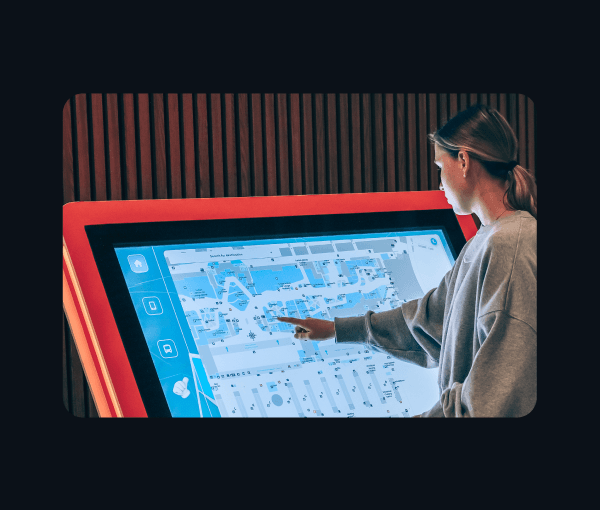
Windows Digital Signage Software

Power digital signage across every Windows device you manage.

Turn your Windows devices into centrally managed digital signage. Publish content remotely, schedule updates, monitor device health, and keep every display showing the right content, at the right time, wherever it's deployed.


G2 Crowd 2026
G2 Crowd 2026
G2 Crowd 2026
windows signage hero image

12000+

Customers

120+

Countries

100+

In-house experts

Built for Windows devices your business relies on.

Windows Device Management

Desktops

Windows Device Management

Laptops

Windows Device Management

Phone & Tablet

Windows Device Management

Point of Sale

Configure every detail of your Windows digital signage.

From the way content moves between slides to how presentations are launched, configure the details that keep your Windows displays working the way you intend.

Digital Signage software

Enforce landscape mode

Set presentations to landscape orientation to match your Windows display layout and keep content properly aligned on screen.

Keep presentations in a continuous loop

Set presentations to loop continuously so your content keeps playing throughout the day without requiring manual restarts.

Set custom presentation intervals

Control how long each content item stays on screen by setting custom intervals for images and other presentation items.

Create presentations with presentation mode

Create presentations, arrange playback order, configure settings, and publish content to individual Windows devices or device groups.

Deliver content with FileDock

Deliver presentations and other content to managed Windows devices through FileDock for easy access on locked-down devices.

Turn your Windows displays into centrally managed digital signage.

Built to support every stage of your Windows digital signage deployment.

Whether you're setting up your first display or managing an enterprise deployment, simplify every stage of your digital signage lifecycle.

single_multi_kiosk_mode

Single & Multi app Kiosk Mode

Configure your Windows devices in single or multi-app kiosk mode, restrict access to apps and system settings, and keep displays focused on digital signage without unnecessary user interaction.

content_management

Content Management

Publish images, videos, presentations, PDFs, and web pages to Windows displays, organize them into playlists, and schedule content around your business hours, campaigns, or events. 

centralised_device

Centralised Device Management

Organize your Windows devices into groups, assign content based on location, or business needs, and simplify day-to-day management with centralised configurations.

location_tracking

Location Tracking & Geofencing

Track the location of your Windows signage devices, define location-based boundaries, and trigger actions or enforce configurations automatically when devices enter or leave designated areas

workflows

Workflows

Automate routine tasks such as rebooting devices, refreshing configurations, and running scheduled actions to keep your Windows digital signage operating with minimal manual intervention.

patch_management

Windows Patch Management

Keep your Windows signage devices secure and up to date by remotely deploying OS, software, and driver patches on a schedule that works for your operations.

Features

Get more from the Windows devices powering your signage.

Go beyond managing what appears on the screen. Keep the devices powering your signage maintained, protected, and ready to deliver the content you’ve configured.

PowerShell Scripts

Run PowerShell scripts across your managed displays to configure devices, automate administrative tasks, and apply changes remotely from the Scalefusion dashboard.

Reports

Get the device information you need to stay informed about your Windows displays. Review system details, device status, storage, and other data from a centralized view.

BitLocker

Use BitLocker to encrypt the hard drives of your managed Windows devices and help protect stored data if a signage device is lost, stolen, or accessed without authorization

OS Update Management

Push the latest Windows OS updates to your signage devices remotely to keep them up to date and help protect against security vulnerabilities. 

Remote Troubleshooting

Keep your Windows digital signage running, wherever they are.

Your displays shouldn't stop delivering content because a device needs attention. View your Windows displays remotely, troubleshoot issues, perform remote actions, and get them back up quickly, without travelling to every location.

illus manage
remote_control_command

Remote control & command

Remotely access your Windows displays to diagnose issues, restart devices, refresh configurations, or execute commands without on-site visits.

remote_cast

Remote cast

View your Windows display in real time to verify content, identify playback issues, and ensure the right information is always on screen

remote_terminal

Remote Terminal

Remotely access the Windows command line to diagnose and fix device issues, run commands, check status, and manage settings without on-site visits.

remote_device_monitoring

Remote device monitoring

Monitor device health, connectivity, storage, and system status to identify potential issues early and keep your Windows digital signage running reliably.

See how you can keep your Windows digital signage running smoothly.

How it works

Display content to your Windows devices in three easy steps.

Create and publish digital signage content in just a few steps. Upload your content, organize it into presentations, and publish it to your Windows displays, all from a centralized dashboard. 

Digital signage kiosk software: Presentation Mode

1

Upload the content

Upload images, videos, documents, and more to keep your content ready to publish. 

2

Streamline your media

Create presentations, set playback and display preferences, and save for deployment.

3

Publish to your displays

Display it to Windows devices or groups and update content without interrupting playback.

Industries

Built for the way your business communicates.

Retail

Display promotional offers, seasonal campaigns, new product launches, pricing updates, and in-store advertisements across every location. Content scheduling lets you launch campaigns at the right time, while content management keeps every display updated without manual effort.

illus_retail

Education

Keep students, faculty, and visitors informed with class timetables, examination schedules, campus announcements, event information, and emergency alerts. Manage displays across multiple campuses through centralized device management and automate timely communication with content scheduling. 

illus_education

Healthcare

Display patient queue information, department directories, health awareness campaigns, doctor availability, and emergency notifications throughout your facilities. Keep displays dedicated to communication with digital signage kiosk mode and maintain reliable performance through device monitoring.

illus_healthcare

Hospitality

Welcome guests with personalized greetings, event schedules, conference room information, digital menus, promotional offers, and local recommendations. Refresh content instantly using content management and automate updates throughout the day with content scheduling.

illus_hospitality

Logistics

Keep warehouse teams informed with loading bay assignments, warehouse KPIs, shift schedules, dispatch updates, safety notices, and operational dashboards. Resolve display issues remotely through remote troubleshooting and manage every deployment from one place with centralized device management.

illus_logistics

Go beyond Windows with cross-platform digital signage.

Build your signage network around Windows today and expand to other operating systems as your requirements evolve.

Ready to manage your Windows digital signage more efficiently?

Frequently asked questions

You can turn Windows PCs, laptops, tablets, all-in-one devices, and compatible commercial displays into dedicated digital signage. Once enrolled, you can configure, manage, and update them remotely from the Scalefusion dashboard.

Get a Demo